Ergonomics at Home: Setting Up Your 2026 Workspace to Prevent Back Pain and Improve Posture by 20%
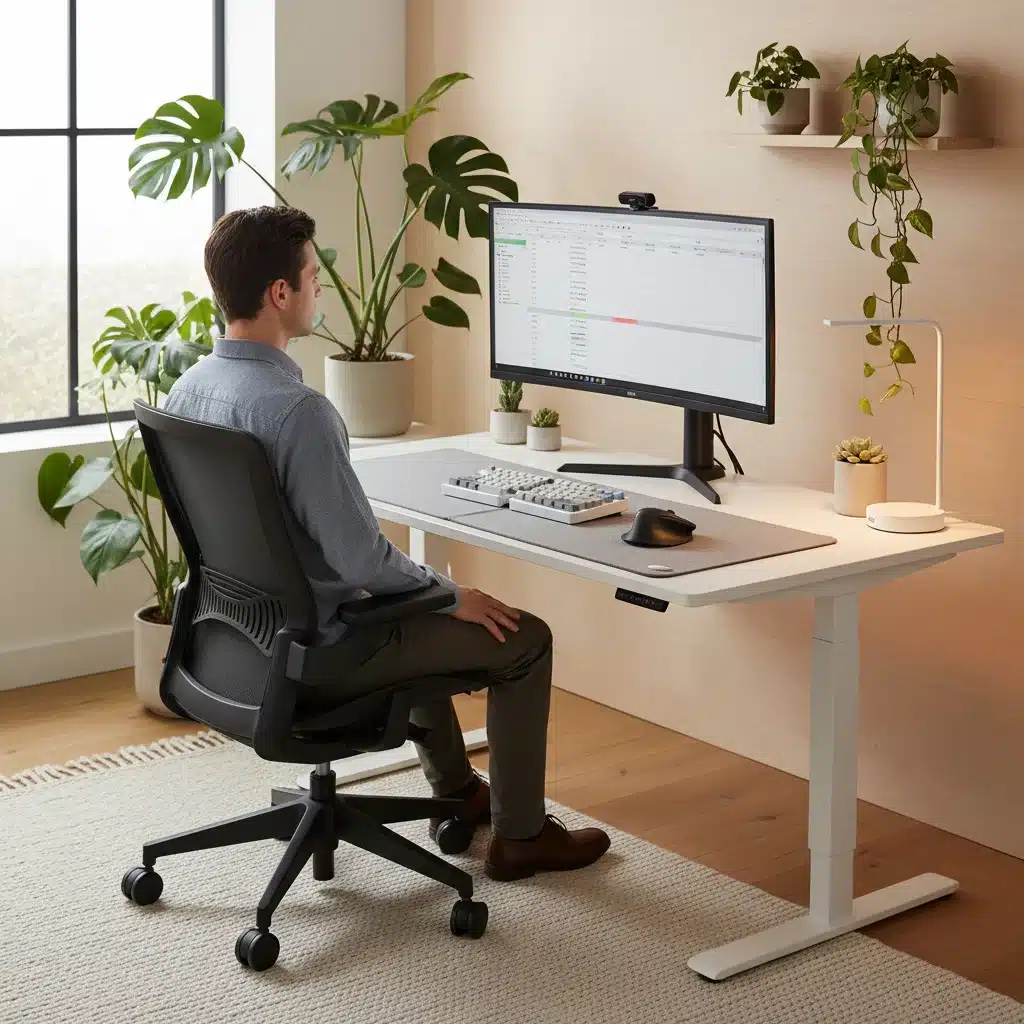
The shift to remote work has profoundly reshaped our professional lives, turning dining tables, spare bedrooms, and even living room corners into makeshift offices. While the flexibility and convenience of working from home are undeniable, this transition has also brought into sharp focus the critical importance of Home Office Ergonomics. As we look towards 2026, the need to prioritize our physical well-being in these spaces is more pressing than ever. A poorly set up workspace can lead to a myriad of health issues, from chronic back pain and neck stiffness to repetitive strain injuries and reduced productivity. This comprehensive guide is designed to help you transform your home office into an ergonomic sanctuary, aiming to prevent back pain and improve posture by a significant 20% by 2026.
We’re not just talking about buying an expensive chair; we’re talking about a holistic approach to your workspace that considers every element, from your chair and desk to your monitor, keyboard, and even the lighting. By understanding the principles of ergonomics and implementing practical changes, you can create an environment that supports your body, enhances your focus, and ultimately contributes to a healthier, more productive work life. Let’s embark on this journey to a better, more ergonomic home office.
Understanding Home Office Ergonomics: More Than Just a Buzzword
Before diving into specific recommendations, let’s clarify what Home Office Ergonomics truly means. Ergonomics is the science of designing and arranging products, systems, and environments so that they fit the people who use them. In the context of your home office, this translates to optimizing your workspace to promote comfort, efficiency, and safety while minimizing the risk of injury or discomfort. It’s about creating a harmonious relationship between you and your work tools.
Many people mistakenly believe that ergonomics is solely about purchasing specialized equipment. While ergonomic chairs and adjustable desks are certainly beneficial, true ergonomics encompasses much more. It involves understanding your body’s natural alignment, maintaining proper posture, and making conscious choices about how you interact with your workspace throughout the day. It’s an investment in your long-term health and productivity.
The goal is not just to alleviate existing pain but to prevent it from occurring in the first place. By adopting ergonomic principles, you can reduce strain on your musculoskeletal system, improve blood circulation, and enhance your overall well-being. This proactive approach is key to thriving in your remote work environment, especially as we plan for a more permanent integration of remote work into our professional lives by 2026.
The Hidden Costs: Why Poor Ergonomics is Hurting You (and Your Productivity)
Ignoring Home Office Ergonomics comes with a steep price, both for your body and your work output. The human body is not designed for prolonged periods of static sitting or repetitive motions without proper support. When your workspace is not ergonomically sound, your body compensates, leading to a cascade of negative effects.
- Chronic Back and Neck Pain: This is perhaps the most common complaint. Slouching, hunching over a laptop, or having a monitor at the wrong height puts immense pressure on your spine, leading to muscle imbalances, disc issues, and persistent pain.
- Repetitive Strain Injuries (RSIs): Conditions like carpal tunnel syndrome, tendinitis, and cubital tunnel syndrome are often a direct result of improper hand, wrist, and arm positioning during typing and mouse use.
- Headaches and Eye Strain: An improperly positioned monitor, glare, or poor lighting can lead to headaches, dry eyes, and general visual fatigue, impacting your concentration and overall comfort.
- Reduced Productivity and Focus: When you’re constantly shifting to find a comfortable position or battling pain, your focus is diverted from your tasks. Discomfort becomes a significant distraction, diminishing your efficiency and the quality of your work.
- Poor Circulation: Prolonged sitting in an unsupportive chair can impede blood flow, leading to swelling, fatigue, and even more serious cardiovascular issues over time.
- Long-term Health Complications: Over years, poor posture and lack of movement contribute to degenerative disc disease, arthritis, and other chronic conditions that can significantly impact your quality of life.
Recognizing these risks is the first step towards making positive changes. By understanding the potential harm, you’ll be more motivated to invest time and resources into creating an ergonomically sound home office for 2026 and beyond.
The Foundation of Comfort: Your Ergonomic Chair
Your office chair is arguably the most critical component of your Home Office Ergonomics setup. A good ergonomic chair is not a luxury; it’s a necessity for supporting your spine, promoting good posture, and preventing discomfort. When selecting or adjusting your chair, consider the following:
1. Lumbar Support:
The chair should have adjustable lumbar support that matches the natural curve of your lower back. This helps maintain the S-shape of your spine, preventing slouching and reducing pressure on your lumbar discs.
2. Seat Depth and Height:
- Height: Your feet should be flat on the floor or on a footrest, with your knees at approximately a 90-degree angle. Your thighs should be parallel to the floor.
- Depth: There should be a gap of about 2-4 fingers between the edge of the seat and the back of your knees. This prevents pressure on the blood vessels and nerves in your legs.
3. Armrests:
Adjustable armrests are crucial. They should allow your arms to rest comfortably at your sides, with your elbows bent at a 90-degree angle when typing. This reduces strain on your shoulders and neck. Ensure they don’t force your shoulders up.
4. Backrest Recline and Tension:
A good ergonomic chair allows you to recline slightly and adjust the tension of the recline. This enables you to shift your posture throughout the day, relieving pressure points and promoting movement. An angle slightly greater than 90 degrees (around 100-110 degrees) is often recommended for spinal health.
5. Material and Padding:
The seat and backrest should be adequately padded and made of breathable material to ensure comfort during long hours of sitting. High-quality foam that retains its shape is preferable.
Investing in a high-quality ergonomic chair is one of the best decisions you can make for your health in your home office. Look for chairs that offer a wide range of adjustability to truly customize it to your body.
The Dynamic Desk: Standing, Sitting, and Everything In Between
Next to your chair, your desk plays a pivotal role in your Home Office Ergonomics. The ideal desk promotes flexibility and allows you to alternate between sitting and standing, which is crucial for preventing the negative effects of prolonged static postures.
1. Adjustable Standing Desk:
By 2026, adjustable standing desks are becoming more of a standard than a luxury. These desks allow you to effortlessly switch between sitting and standing positions throughout the day. This movement is vital for circulation, muscle engagement, and overall energy levels. When standing, ensure the desk height allows your elbows to be at a 90-degree angle, just like when sitting.
2. Proper Desk Height (Fixed Desks):
If an adjustable desk isn’t feasible, ensure your fixed desk is at an appropriate height. The top surface of the desk should allow your arms to form a 90-degree angle at the elbows when your shoulders are relaxed and your feet are flat on the floor. If the desk is too high, you might need a taller chair and a footrest. If it’s too low, desk risers can help.
3. Clutter-Free Zone:
A cluttered desk can lead to awkward postures as you reach for items. Keep your primary work area clear, with frequently used items within easy reach. This minimizes unnecessary twisting and reaching, supporting better posture.
4. Adequate Space:
Ensure your desk provides enough surface area for your monitor, keyboard, mouse, and any other essential tools without feeling cramped. You should have ample space to rest your forearms comfortably while typing and using the mouse.
Remember, the best desk is one that adapts to your needs and encourages movement. Even if you have a standing desk, don’t stand all day; alternate regularly. Micro-breaks and position changes are your allies in maintaining good ergonomic health.
Optimal Monitor Placement and Eye Health
Our eyes are constantly engaged with screens, making correct monitor placement a cornerstone of effective Home Office Ergonomics. Improper monitor positioning can lead to neck strain, eye fatigue, and headaches. Here’s how to get it right:
1. Eye Level Alignment:
The top of your monitor screen should be at or slightly below eye level. This ensures you’re looking slightly downward, which is natural and reduces neck strain. If you wear bifocals, you might need to lower it a bit more.
2. Arm’s Length Distance:
Position your monitor approximately an arm’s length away from your face (about 20-40 inches or 50-100 cm). This distance allows you to view the entire screen without excessive eye movement or straining.
3. Centered Screen:
If you use a single monitor, place it directly in front of you. For dual monitors, either place your primary monitor directly in front and the secondary to its side, or if you use both equally, position them so the seam is centered, and you turn your head slightly to view either screen.
4. Reduce Glare:
Position your monitor to avoid glare from windows or overhead lights. Glare can cause eye strain and force you into awkward postures to see the screen clearly. Use blinds or curtains, and consider an anti-glare screen protector if necessary.
5. Monitor Stand or Arm:
If your monitor isn’t adjustable, use a monitor stand or an ergonomic monitor arm to achieve the correct height and distance. Monitor arms offer greater flexibility and can free up valuable desk space.
Don’t forget the 20-20-20 rule: Every 20 minutes, look at something 20 feet away for at least 20 seconds. This simple practice significantly reduces eye strain.
Keyboard and Mouse Mastery: Preventing RSIs
The tools you interact with most frequently – your keyboard and mouse – are prime culprits for repetitive strain injuries if not used ergonomically. Mastering their placement and selection is vital for effective Home Office Ergonomics.
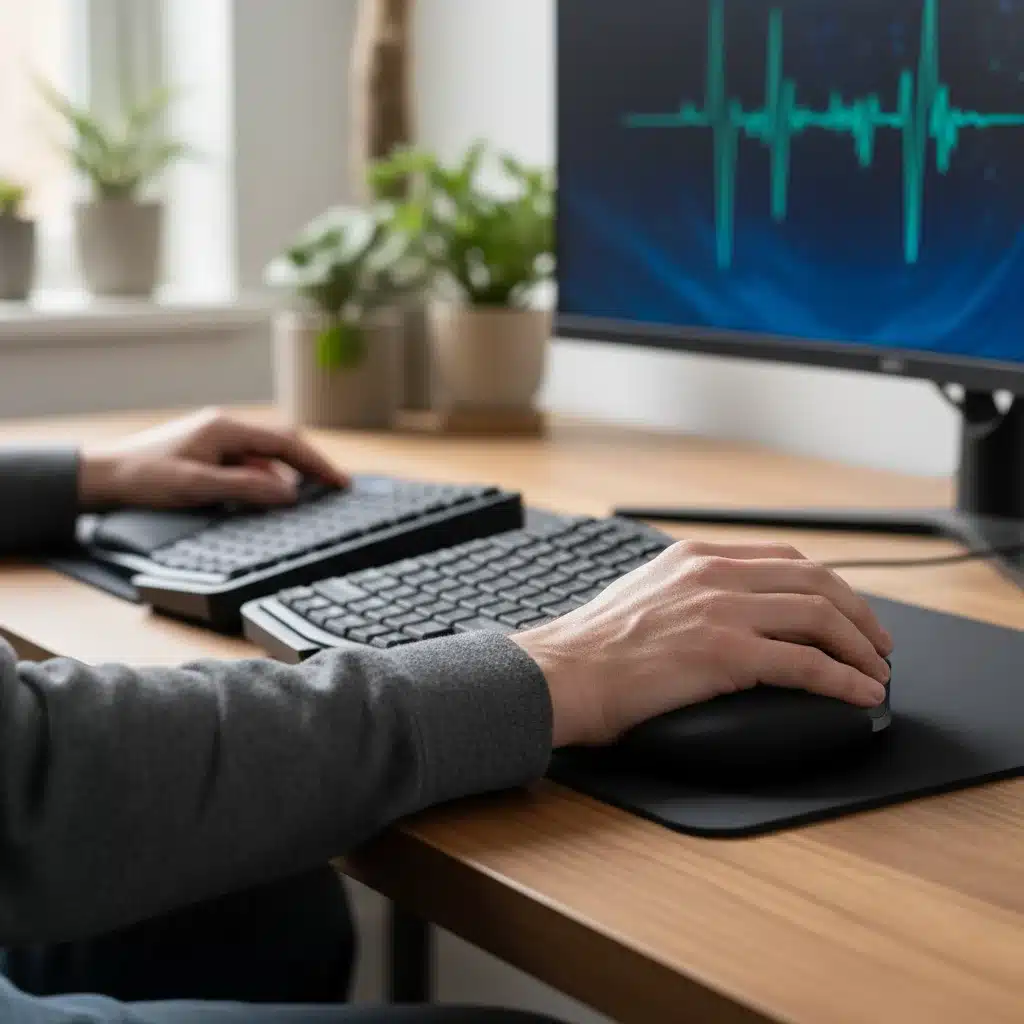
1. Keyboard Positioning:
- Straight Wrists: Your wrists should remain straight and neutral, not bent up, down, or to the side.
- Elbows at 90 Degrees: Position your keyboard so your elbows are at a 90-degree angle, close to your body, and your shoulders are relaxed.
- Keyboard Tilt: Many keyboards have feet that tilt them upwards. For most people, a flat or slightly negative tilt (front edge slightly higher than the back) is more ergonomic, as it keeps wrists straighter.
- Ergonomic Keyboards: Consider a split or curved ergonomic keyboard. These designs naturally separate your hands and allow for a more neutral wrist position.
2. Mouse Selection and Use:
- Neutral Wrist Position: Choose a mouse that fits your hand comfortably and allows your wrist to remain straight. Vertical mice are excellent for promoting a neutral handshake grip.
- Minimize Reaching: Keep your mouse as close to your keyboard as possible to avoid overreaching. Consider a compact keyboard without a number pad if you don’t use it frequently.
- Alternate Hands: If possible, train yourself to use the mouse with both hands to distribute the strain.
- Trackballs or Touchpads: For some, a trackball mouse or a central touchpad can be a good alternative, reducing shoulder and arm movement.
3. Wrist Rests:
While wrist rests can be helpful, they should be used to rest your wrists during breaks, not while actively typing or mousing. During activity, your wrists should hover above the rest to maintain mobility and avoid pressure on the carpal tunnel area.
The key is to minimize awkward angles and sustained muscle tension. Regular short breaks to stretch your hands and wrists are also highly recommended.
Lighting and Environmental Factors: Setting the Mood for Productivity
Beyond your core equipment, the overall environment of your home office significantly impacts your comfort and well-being, directly contributing to effective Home Office Ergonomics.
1. Optimal Lighting:
- Natural Light: Maximize natural light whenever possible. Position your desk perpendicular to a window to avoid direct glare on your screen or shadows on your work surface.
- Ambient Lighting: Ensure your room has adequate ambient lighting that is evenly distributed. Avoid harsh overhead lights that create shadows or glare.
- Task Lighting: A good desk lamp can provide focused light for reading documents without creating glare on your screen. Opt for adjustable lamps with dimming features.
- Avoid Flickering: Replace any flickering lights, as they can cause eye strain and headaches.
2. Temperature and Air Quality:
Maintain a comfortable room temperature (typically between 68-72°F or 20-22°C). Ensure good air circulation and consider adding plants, which can improve air quality and add a calming aesthetic.
3. Noise Control:
Minimize distractions by choosing a quiet area for your office. If noise is unavoidable, consider noise-canceling headphones or playing ambient sounds to help you focus.
4. Personalization and Aesthetics:
Your workspace should feel inviting and inspiring. Personalize it with items that bring you joy, such as photos, plants, or artwork. A pleasant environment can reduce stress and boost creativity.
These environmental factors might seem secondary, but they collectively create a supportive atmosphere that enhances your ability to work comfortably and efficiently, making them integral to comprehensive Home Office Ergonomics.
The Power of Movement: Micro-Breaks and Stretching
Even the most perfectly optimized ergonomic setup isn’t a license to remain static for hours on end. Movement is a non-negotiable component of excellent Home Office Ergonomics. Our bodies are designed to move, and prolonged static postures, regardless of how ‘correct’ they are, can still lead to stiffness, fatigue, and pain.
1. Take Regular Micro-Breaks:
Aim for a short break (1-2 minutes) every 20-30 minutes. Stand up, stretch, walk a few steps, or simply change your sitting position. These brief interruptions can make a significant difference in preventing muscle fatigue and improving circulation.
2. Incorporate Standing:
If you have a standing desk, make a conscious effort to alternate between sitting and standing throughout your workday. A good ratio might be 30 minutes sitting, 30 minutes standing, or even shorter intervals. The key is frequent change.
3. Simple Stretches for the Office:
- Neck Stretches: Gently tilt your head to one side, bringing your ear towards your shoulder. Hold for 15-20 seconds, then repeat on the other side.
- Shoulder Rolls: Roll your shoulders forward several times, then backward several times.
- Chest Stretch: Clasp your hands behind your back, straighten your arms, and gently lift them to open up your chest.
- Wrist and Finger Stretches: Extend one arm straight out, palm up. Use your other hand to gently pull your fingers down towards your body. Repeat with palm down.
- Lower Back Stretch: While sitting, gently twist your torso to one side, using the back of your chair for support. Hold and repeat on the other side.
4. Schedule Longer Breaks:
Beyond micro-breaks, schedule at least one longer break (15-30 minutes) to step away from your desk completely. Go for a short walk, do some light exercise, or engage in an activity that takes your mind off work. This helps reset both your body and mind.
Think of movement as a crucial nutrient for your body. Just as you wouldn’t forgo food or water, don’t neglect regular movement throughout your workday. It’s an essential ingredient for preventing back pain and improving posture.
Posture Perfection: Understanding Your Body Mechanics
Ultimately, Home Office Ergonomics is about cultivating mindful body mechanics. Even with the best equipment, poor habits can undermine your efforts. By 2026, let’s aim for a deeper understanding of how our bodies should ideally be positioned.
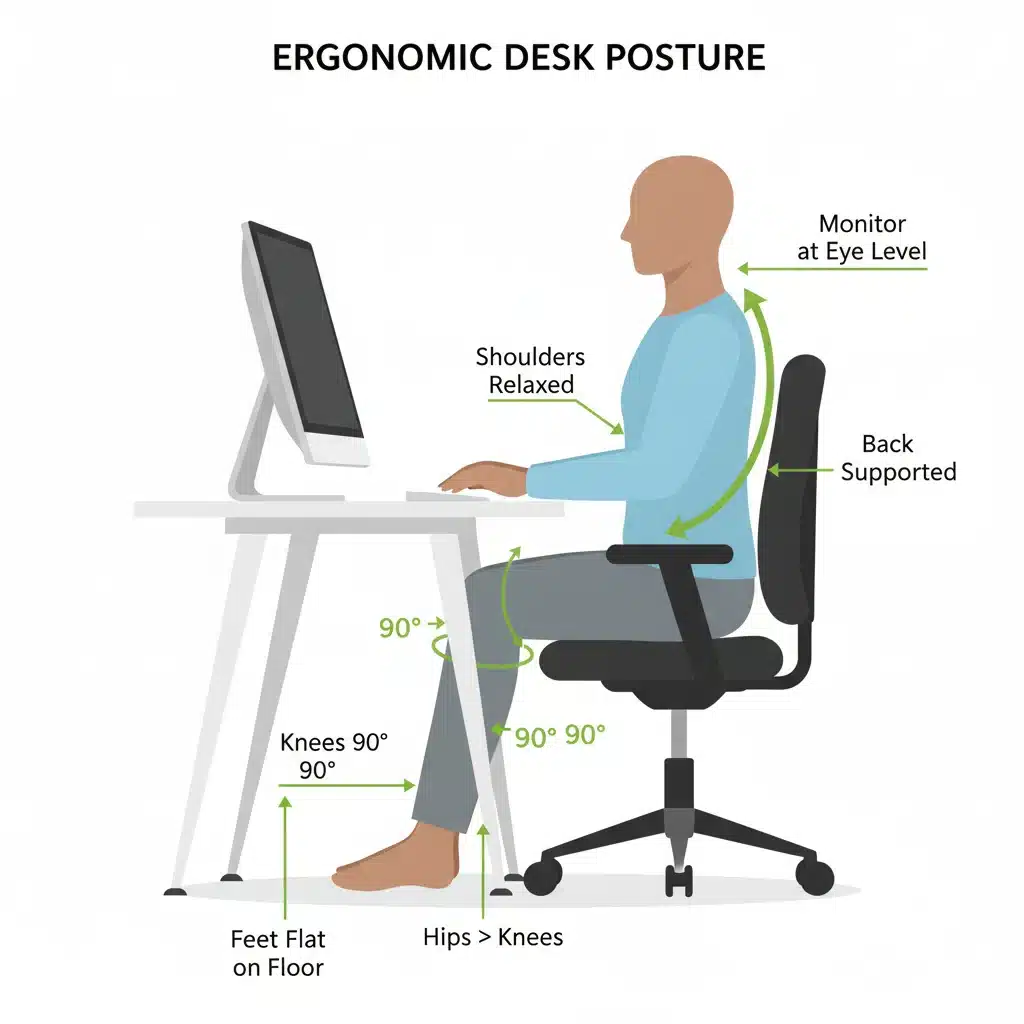
1. The Ideal Sitting Posture:
- Feet: Flat on the floor or a footrest. Avoid crossing your legs.
- Knees: Bent at a 90-degree angle, roughly level with your hips or slightly below.
- Hips: Positioned as far back in your chair as possible, with your back supported by the chair’s lumbar support.
- Lower Back: Maintain its natural inward curve.
- Shoulders: Relaxed, not hunched or elevated.
- Elbows: Close to your body, bent at a 90-degree angle, forming an ‘L’ shape.
- Wrists: Straight and neutral, aligned with your forearms.
- Head and Neck: Balanced directly over your spine, looking forward, with the top of your monitor at eye level. Avoid craning your neck forward.
2. The Ideal Standing Posture:
- Feet: Hip-width apart, distributing weight evenly. Consider an anti-fatigue mat.
- Knees: Slightly bent, not locked out.
- Hips: Neutral, not pushed forward or backward excessively.
- Spine: Maintain natural curves, avoid slouching or over-arching.
- Shoulders: Relaxed and back.
- Elbows: Bent at a 90-degree angle, just like when sitting, with your forearms parallel to the floor.
- Head: Aligned with your spine, looking straight ahead.
3. Body Awareness:
Regularly check in with your body. Are you slouching? Are your shoulders tense? Is your head pushed forward? Use reminders (e.g., a timer on your phone) to prompt a posture check throughout the day. Over time, good posture will become second nature.
Improving posture is not an overnight fix. It requires consistent effort and self-awareness, but the long-term benefits for your health and comfort are immeasurable. Make posture perfection a daily habit by 2026.
Future Trends in Home Office Ergonomics (2026 and Beyond)
As technology evolves and remote work becomes even more entrenched, the field of Home Office Ergonomics will continue to innovate. Here’s a glimpse into what we might expect by 2026 and beyond:
1. AI-Powered Posture Coaching:
Imagine smart cameras or wearable sensors that provide real-time feedback on your posture, offering gentle reminders or personalized stretching exercises. AI will move beyond just tracking to actively coaching us towards better habits.
2. Biometric-Integrated Furniture:
Chairs and desks that automatically adjust to your unique biometric data (e.g., height, weight, preferred posture) could become standard, offering truly personalized ergonomic support without manual adjustments.
3. Modular and Portable Ergonomic Solutions:
As work-life boundaries blur, we might see more highly portable and modular ergonomic solutions that can easily adapt to different spaces within the home or even on the go, ensuring ergonomic comfort wherever you work.
4. Gamified Movement and Break Reminders:
Apps and software that gamify movement breaks, offering rewards or challenges for maintaining good posture and taking regular activity breaks, could make ergonomic habits more engaging and sustainable.
5. Sustainable and Eco-Friendly Ergonomic Products:
A growing focus on sustainability will likely lead to ergonomic products made from recycled, renewable, and non-toxic materials, aligning health and environmental consciousness.
6. Enhanced Virtual Reality (VR) Workspaces:
While still nascent, VR could offer entirely customizable virtual environments that are ergonomically perfect, potentially reducing the need for extensive physical setups for certain tasks.
These trends suggest a future where ergonomics is not just about equipment but about smart, adaptive, and personalized systems that seamlessly integrate into our work lives, making it easier than ever to maintain health and productivity in our home offices.
Your 2026 Action Plan: Step-by-Step Ergonomic Transformation
Achieving a 20% improvement in preventing back pain and enhancing posture by 2026 requires a systematic approach. Here’s your action plan for implementing superior Home Office Ergonomics:
Phase 1: Assessment and Awareness (Now – End of 2024)
- Self-Assessment: Observe your current posture, identify areas of discomfort, and take note of your existing equipment.
- Research: Read reviews, compare ergonomic products, and understand what features are essential for your body type and work style.
- Basic Adjustments: Start with free or low-cost adjustments: repositioning your monitor with books, adjusting your current chair as much as possible, and decluttering.
- Incorporate Micro-Breaks: Set a timer for every 30 minutes to stand up and stretch.
Phase 2: Strategic Investment (2025)
- Prioritize Upgrades: Based on your assessment, identify the most impactful ergonomic upgrades. For most, this means an ergonomic chair, followed by an adjustable standing desk or monitor arm.
- Invest Wisely: Purchase high-quality ergonomic equipment that offers ample adjustability and support. Consider this an investment in your long-term health.
- Optimize Peripherals: Upgrade to an ergonomic keyboard and mouse if you experience wrist or hand discomfort.
- Refine Lighting: Address any glare issues and ensure adequate ambient and task lighting.
Phase 3: Habit Formation and Continuous Improvement (2026 and Beyond)
- Daily Posture Checks: Make it a habit to regularly check and correct your posture, both sitting and standing.
- Consistent Movement: Integrate regular movement, stretching, and breaks into your daily routine. Use apps or reminders if needed.
- Listen to Your Body: Pay attention to any new aches or pains and make adjustments promptly. Ergonomics is an ongoing process.
- Stay Informed: Keep abreast of new ergonomic research and product innovations.
- Seek Professional Advice: If you experience persistent pain, consult a physical therapist or an ergonomist for personalized guidance.
By following this action plan, you’re not just setting up a home office; you’re building a foundation for sustainable health and peak performance well into 2026 and beyond. Your body will thank you for it.
Conclusion: Your Health, Your Home Office, Your Future
As we navigate the evolving landscape of work, the importance of Home Office Ergonomics cannot be overstated. It’s more than just a trend; it’s a fundamental shift in how we approach our professional well-being. By proactively addressing the design and habits of your workspace, you are taking powerful steps to prevent back pain, improve posture, and cultivate a healthier, more productive self.
The goal of reducing back pain and improving posture by 20% by 2026 is an ambitious yet entirely achievable one. It requires a combination of smart equipment choices, mindful body mechanics, and a commitment to regular movement. This guide has provided you with the knowledge and actionable steps needed to embark on this transformative journey. Remember, your home office is an extension of your professional self, and investing in its ergonomic quality is an investment in your future health and success.
Don’t wait for discomfort to become chronic. Begin your ergonomic transformation today. Your body will thank you, and your productivity will soar. Here’s to a healthier, happier, and more ergonomic home office in 2026!